Reflex Beta monitors your cognitive load in real time — watching typing rhythm, mouse behavior, and context switching. It learns your patterns, triggers smart breaks before burnout hits, and reminds you to rest your eyes. No wearable. No cloud. 100% private.
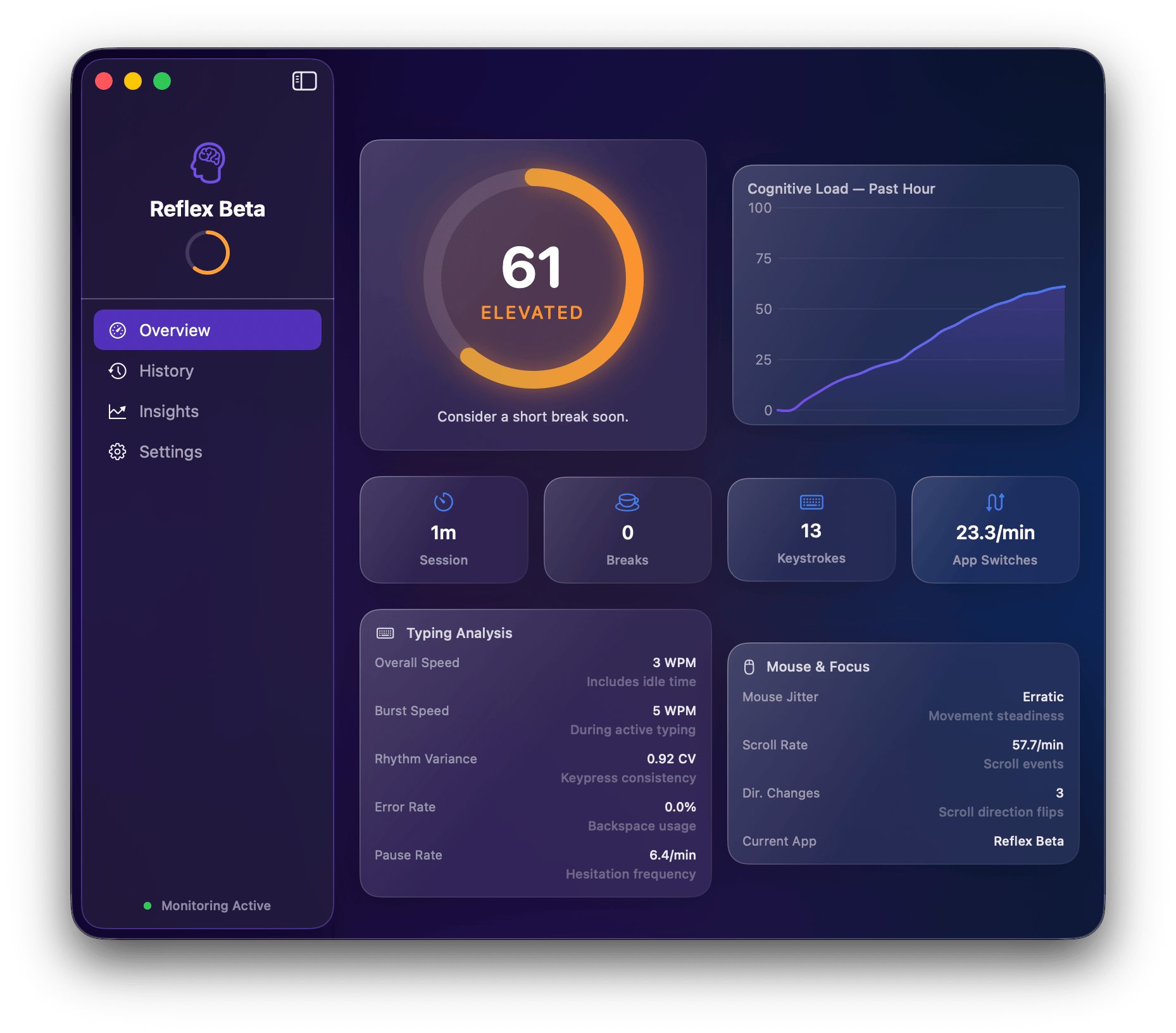
Real in-app screenshots. Zero mockups.
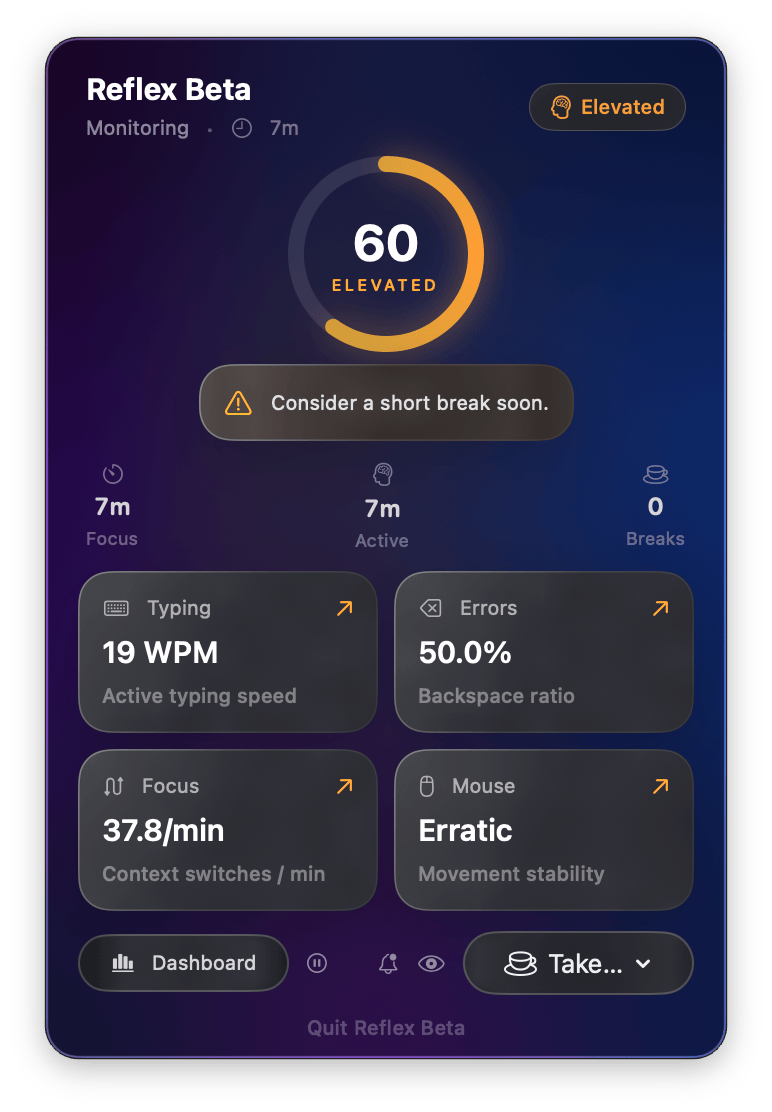
From menu bar pulse checks to deep weekly insight trends, Reflex gives you signal-rich feedback without stealing your flow.
Every signal Reflex Beta monitors translates directly to mental fatigue. Six behavioral signals, one fatigue factor, three independent break triggers — and smart breaks when you need them.
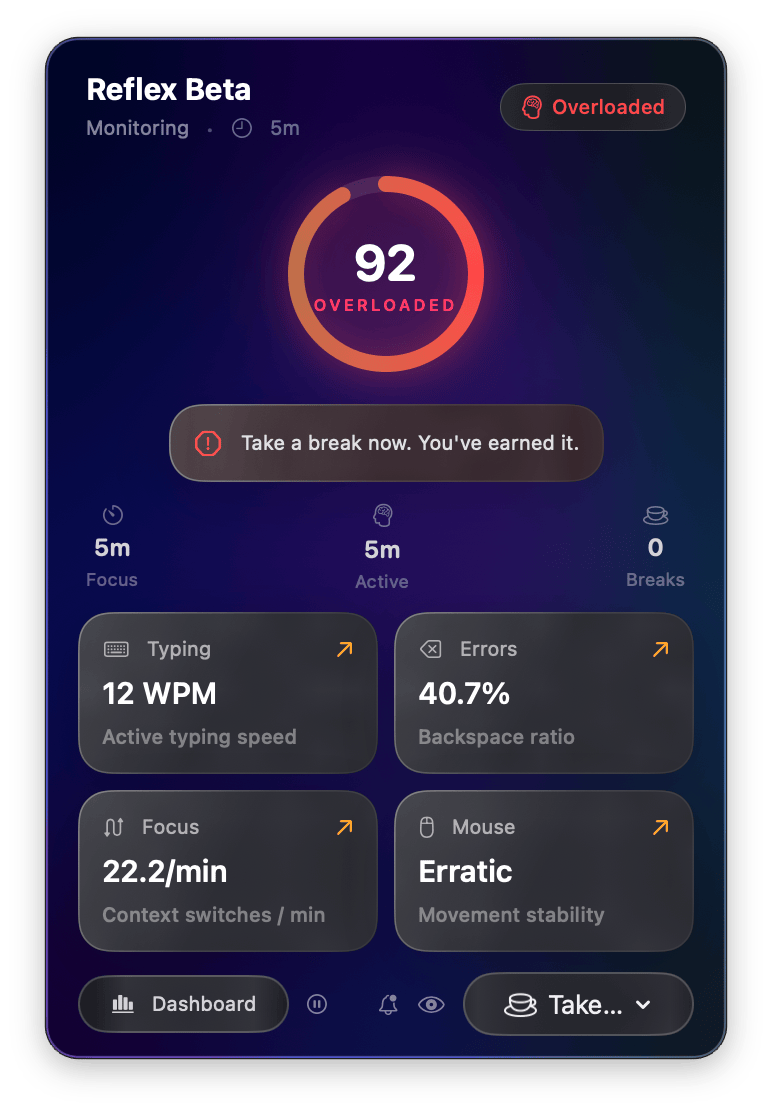
A live 0–100 score updated every 5 seconds. Six weighted behavioral signals — typing variance, error rate, context switches, mouse jitter, pause frequency, and scroll chaos — plus a duration-based fatigue factor, fused into a single number via exponential moving average smoothing.
Reflex Beta spends 15 minutes learning your normal typing and mouse patterns. Scores are always relative to your baseline — not a generic population average.
Lives quietly in your menu bar. One click opens a popover with your live load ring, real-time metric tiles with trend arrows, quick break actions, and a link to the full dashboard.
Three independent triggers keep you healthy: cognitive load spikes, time-based focus limits, and eye rest reminders. Each fires a cinematic sequence: a cursor-following countdown orb → a slide-in notification with snooze/skip options → a fullscreen overlay with breathing exercise or eye rest countdown. Natural breaks (2+ min idle) are detected automatically.
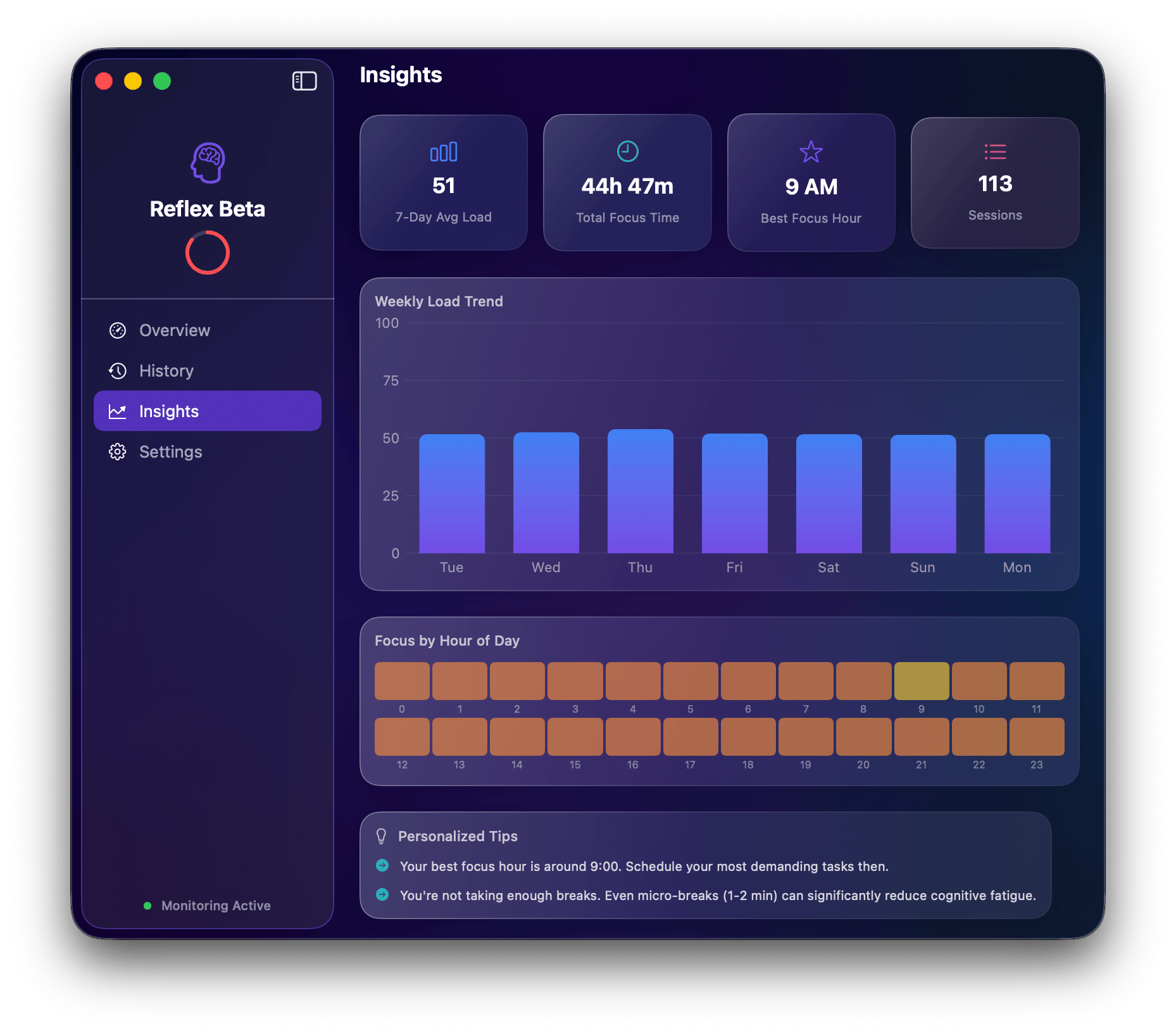
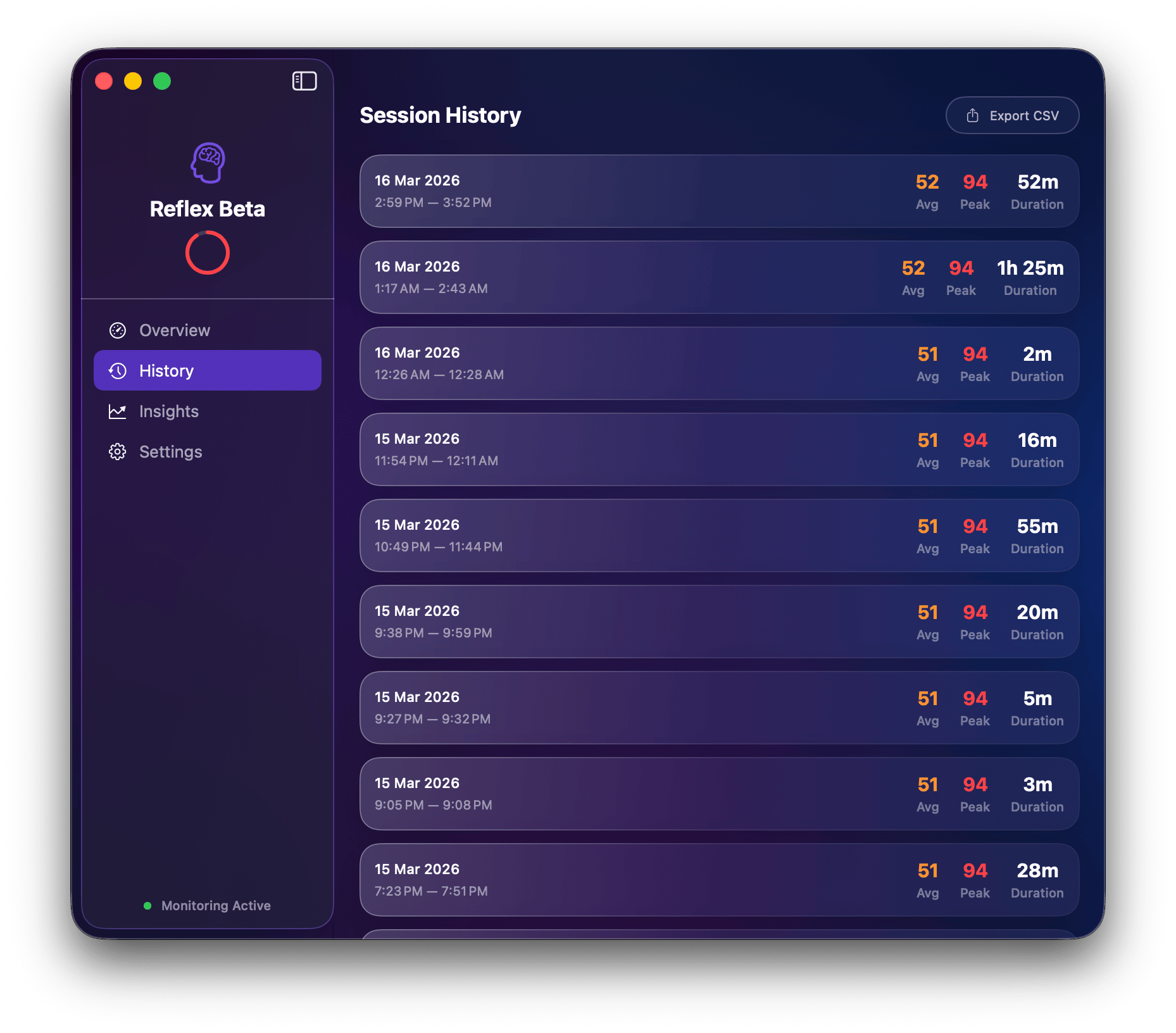
The full dashboard shows session history with inline charts, a weekly load trend, a 24-hour focus heatmap, and personalized insights. Export all your data to CSV any time you like.
Typing rhythm variance · Backspace error rate · Inter-key pause frequency · Mouse jitter & velocity variance · Scroll chaos (direction reversals) · App context-switch rate — plus a duration-based fatigue factor that gradually increases your score after 30+ minutes of continuous work. No key content is ever captured — only timing and movement patterns.
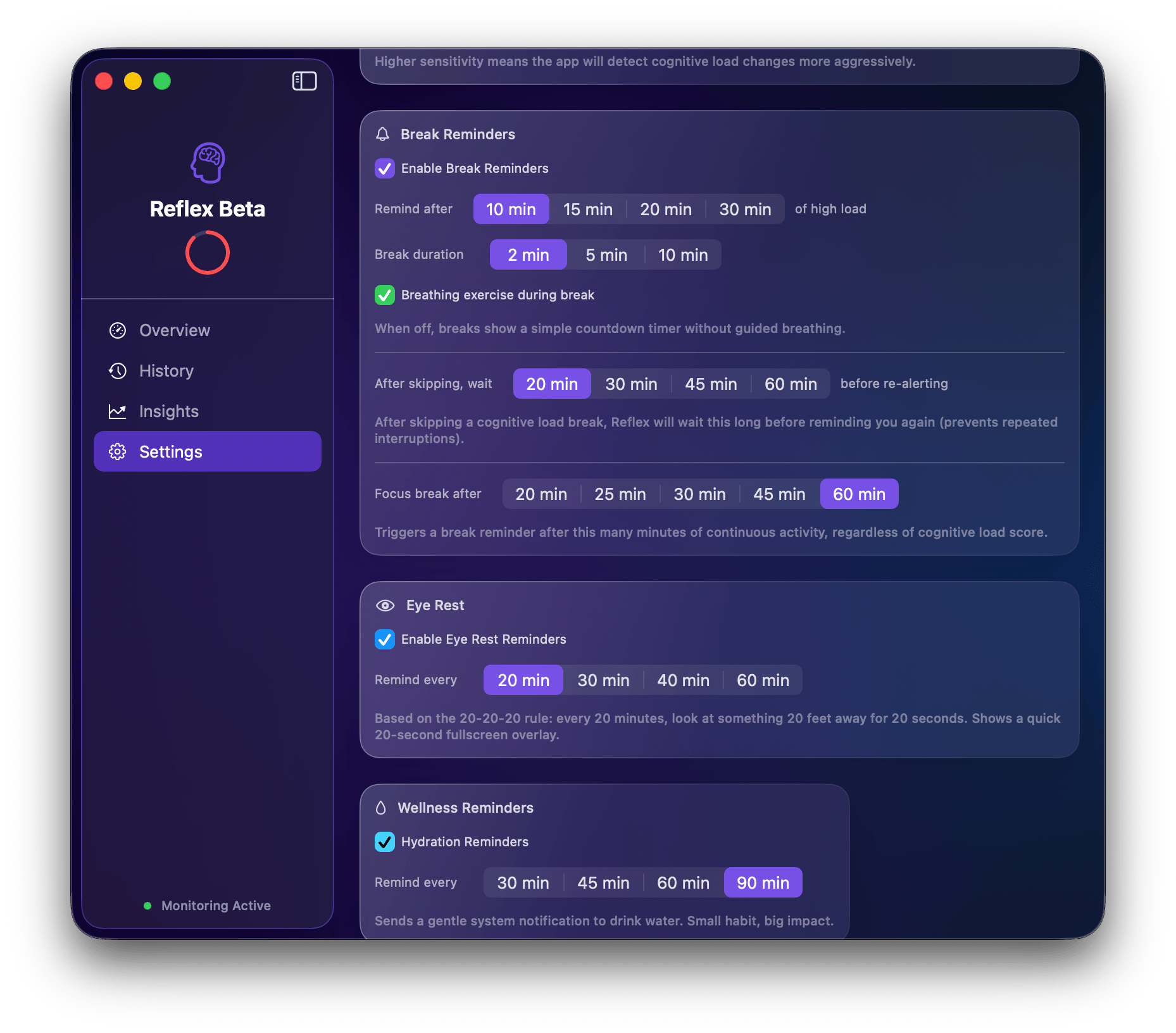
Adjust sensitivity from relaxed to aggressive. Set focus break intervals (20–60 min), eye rest intervals (20–60 min), break durations (2–10 min), and hydration reminders (30–90 min). Toggle breathing exercise, launch at login, and dock visibility. Reflex Beta adapts to your workflow.
After 40 minutes of continuous focus (configurable), Reflex Beta shows a cursor-following countdown, then a fullscreen overlay prompting you to look away for 20 seconds. Based on the ophthalmologist-recommended 20-20-20 rule. Skippable, toggleable, and beautifully designed.
Even in a perfect "flow" state, your body needs breaks. Reflex Beta triggers reminders after 25 minutes of continuous activity — independent of cognitive load. Configurable from 20 to 60 minutes.
Step away for 2+ minutes and Reflex Beta automatically credits it as a natural break — resetting all timers. Your coffee run counts. A fatigue factor also gradually increases your score over time, ensuring accuracy even during long, steady sessions.
Optional gentle system notification reminding you to drink water. Configurable interval (30–90 min). Small habit, big impact on focus and wellbeing. Off by default — enable in settings.
No account. No config. No wearable. Just install, grant one permission, and let Reflex Beta work.
Download the DMG. Drag to Applications. Launch Reflex Beta — it lives in your menu bar, never your Dock unless you want it to.
Reflex Beta only needs macOS Accessibility access to observe input event timing globally. One tap in System Settings is all it takes.
Just work normally. In about 15 minutes Reflex Beta has learned your personal typing and mouse rhythms, and starts scoring relative to your baseline — not anyone else's.
Three independent triggers keep you healthy: cognitive load spikes, time-based focus limits (25 min), and eye rest reminders (40 min). When triggered, you get a cursor-following countdown, a snooze-able notification, or a full guided breathing break.
Reflex Beta combines behavioral signals that correlate with cognitive fatigue, weighted by their predictive significance. A duration-based fatigue factor ensures accuracy over long sessions.
Erratic inter-keystroke timing is the earliest indicator of mental strain.
Correction rate spikes when working memory is overloaded.
Rapid app switching fragments attention and deepens fatigue.
High velocity variance reflects physical tension and reduced motor control.
Long thinking pauses between keystrokes indicate heavy cognitive processing.
Rapid scroll direction reversals suggest confusion or information overload.
After 30+ minutes of continuous activity, a fatigue bonus gradually increases the score — even when behavioral signals are steady. Peaks at 2 hours.
Reflex Beta was designed from the ground up with a simple law: your data never leaves your Mac. No account, no cloud sync, no telemetry — ever.
~/Library/Application Support/Reflex/. You own it — delete it any time.
macOS requires Accessibility permission to monitor input events globally. This is the same permission used by apps like Raycast and Bartender. You can revoke it any time in System Settings.
Reflex Beta is a free, unsigned app — macOS will flag it the first time. Here's exactly what to do.
Click the Download button on this page. The file is Reflex-Beta-3.4.1.dmg. It will download to your Downloads folder.
Double-click to open the DMG. Drag Reflex Beta.app to the Applications shortcut in the same window.
Find Reflex Beta in Applications. Right-click it → Open — do NOT just double-click. macOS shows a warning about an unidentified developer.
If macOS still refuses to open it, go to:
Reflex Beta will prompt you to grant Accessibility access. This is the only permission it needs. Click Open System Settings → toggle Reflex Beta on in Privacy & Security → Accessibility.
Reflex Beta appears in your menu bar as a small brain icon showing your current load score. It starts learning your baseline immediately. In about 15 minutes it'll be fully calibrated.
Join the humans who've stopped guessing how tired their brain is.
First time opening? See the installation guide above for macOS security instructions.